Paper mandate migration
Digitize the mandates you already have without losing legal validity.
If you already collect via direct debit, you probably have paper mandates. Custodita lets you import them in bulk, attach scans of the originals and optionally request digital signatures from your clients to complete the transition.
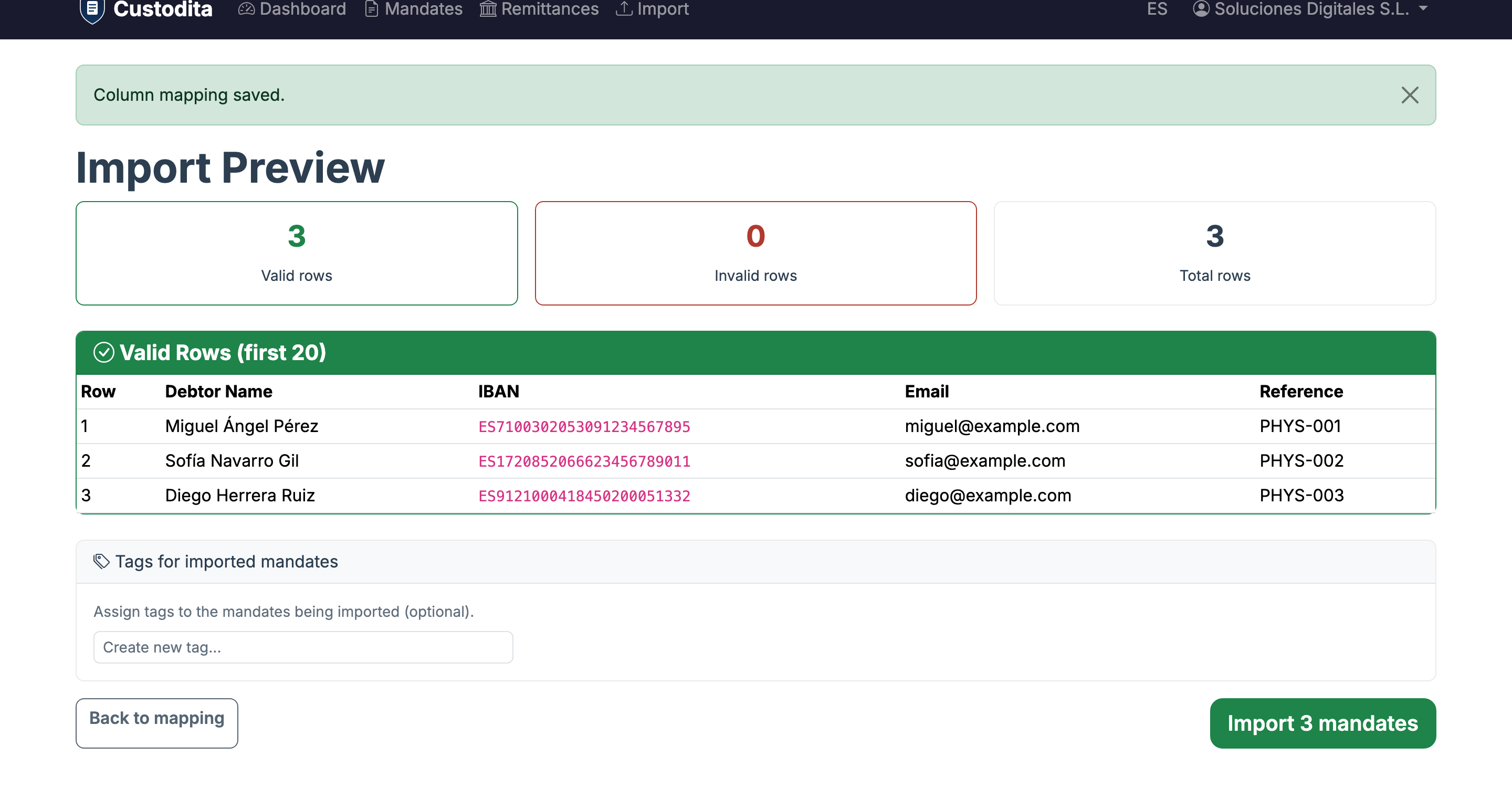
Bulk import from CSV/Excel
Upload your file, map columns and validate IBANs automatically. Valid mandates are created in one click.
Attach scans of the originals
Upload photos or PDFs of paper-signed mandates to maintain the evidence chain.
Request digital signatures
Send signing links to replace paper mandates with fully traceable digital versions.
Validation and issue detection
Detect invalid IBANs, duplicates and mandates without scans. Fix issues before collecting.
Smart column mapping
Upload your CSV or Excel and Custodita detects headers automatically. Map each column to the corresponding field and preview data before importing.
- CSV and Excel (XLSX) support
- Preview of the first rows
- IBAN validation and duplicate detection before import
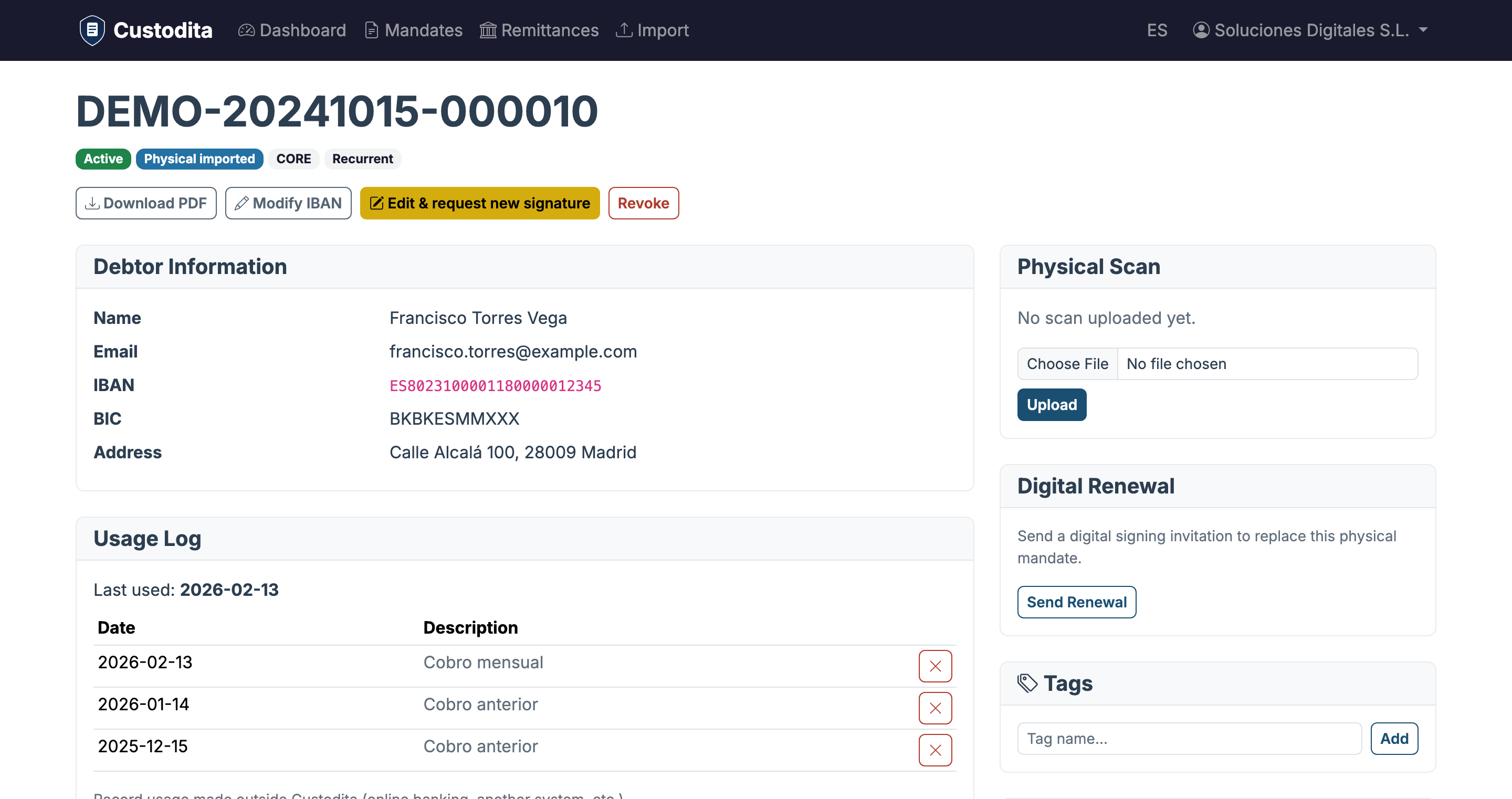
Attach the signed originals
From each imported mandate's detail page, upload a photo or PDF of the paper-signed mandate. Custodita links it to the digital record to maintain the complete evidence chain.
- Supports images (JPG, PNG) and PDF
- Mandate changes from 'physical imported' to 'physical digitized'
- Recorded in the audit trail
From paper to digital in one click
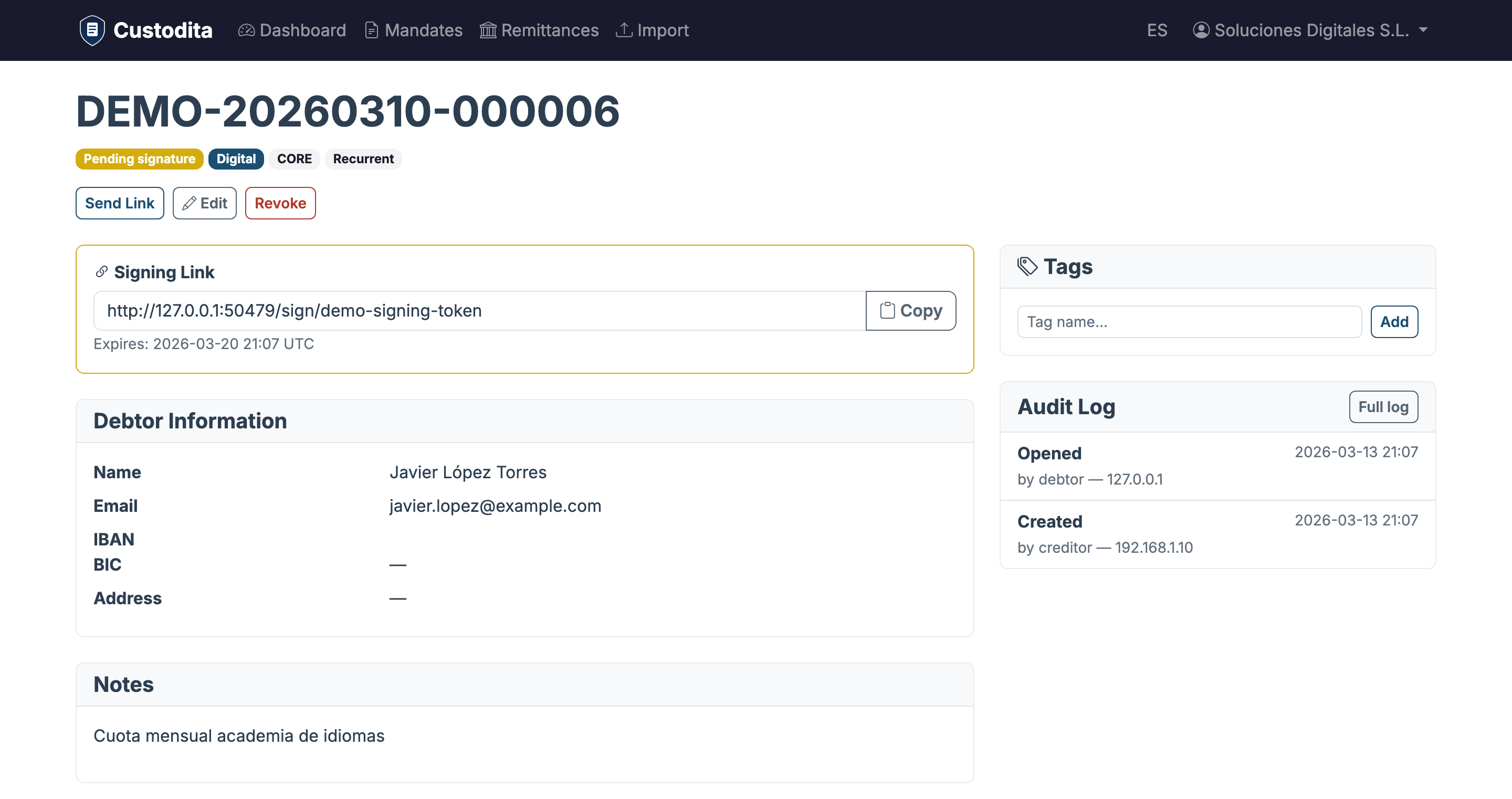
For each imported mandate, you can send a digital signing link to the debtor. When they sign, you'll have a fully digital mandate with complete traceability, linked to the original.
- The new mandate inherits data from the original
- The debtor signs from any device
- Both mandates are linked in the history
How to migrate your mandates
Export your mandates to CSV
From your current system or bank, export the list of debtors with IBAN, name and reference.
Import into Custodita
Upload the CSV, map columns and review validation. Valid mandates are created automatically.
Attach scans (optional)
Upload photos or PDFs of the original mandates as digital backup.
Request digital signatures (optional)
Send renewal links to your clients to replace paper with a complete digital mandate.
Bring your existing mandates
Import your mandate database in minutes and start operating from Custodita.
Get started free