SEPA remittances and collections
Generate XML files for your bank and reconcile responses automatically.
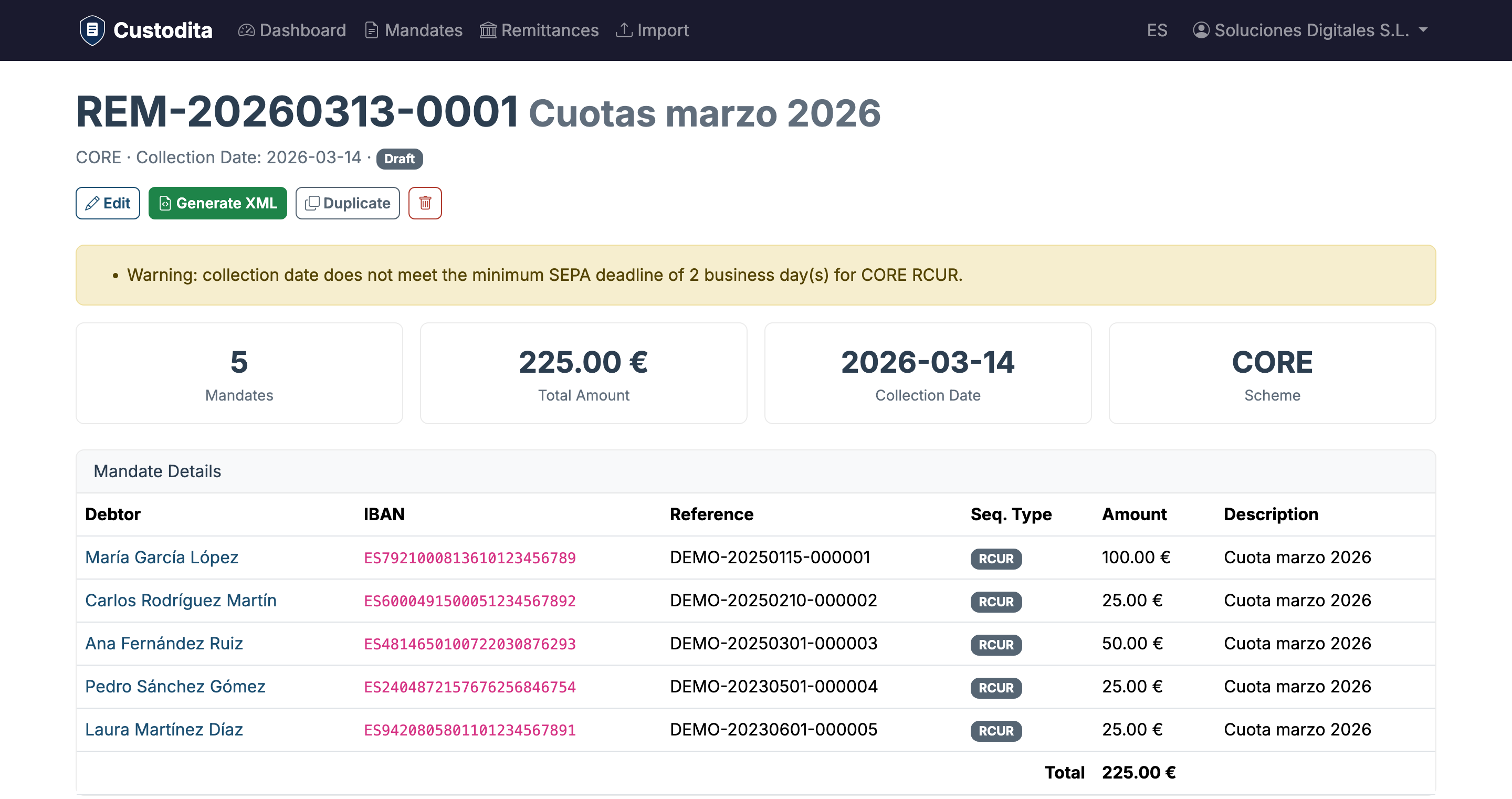
Group active mandates into remittances, set amounts and descriptions, and generate the pain.008 XML file ready to upload to your online banking. When the bank processes the collections, upload the response and Custodita updates each debit status.
Standard pain.008 XML
Generate pain.008.001.02 files compatible with any European bank. SHA-256 checksum included.
Batch collections
Group hundreds of mandates in a remittance. Set individual amounts and descriptions per debit.
Automatic reconciliation
Upload the bank's pain.002 file and automatically update each debit: accepted, rejected or pending.
Duplicate remittances
Create copies of previous remittances for periodic collections. Inactive mandates are excluded automatically.
Configure each debit individually
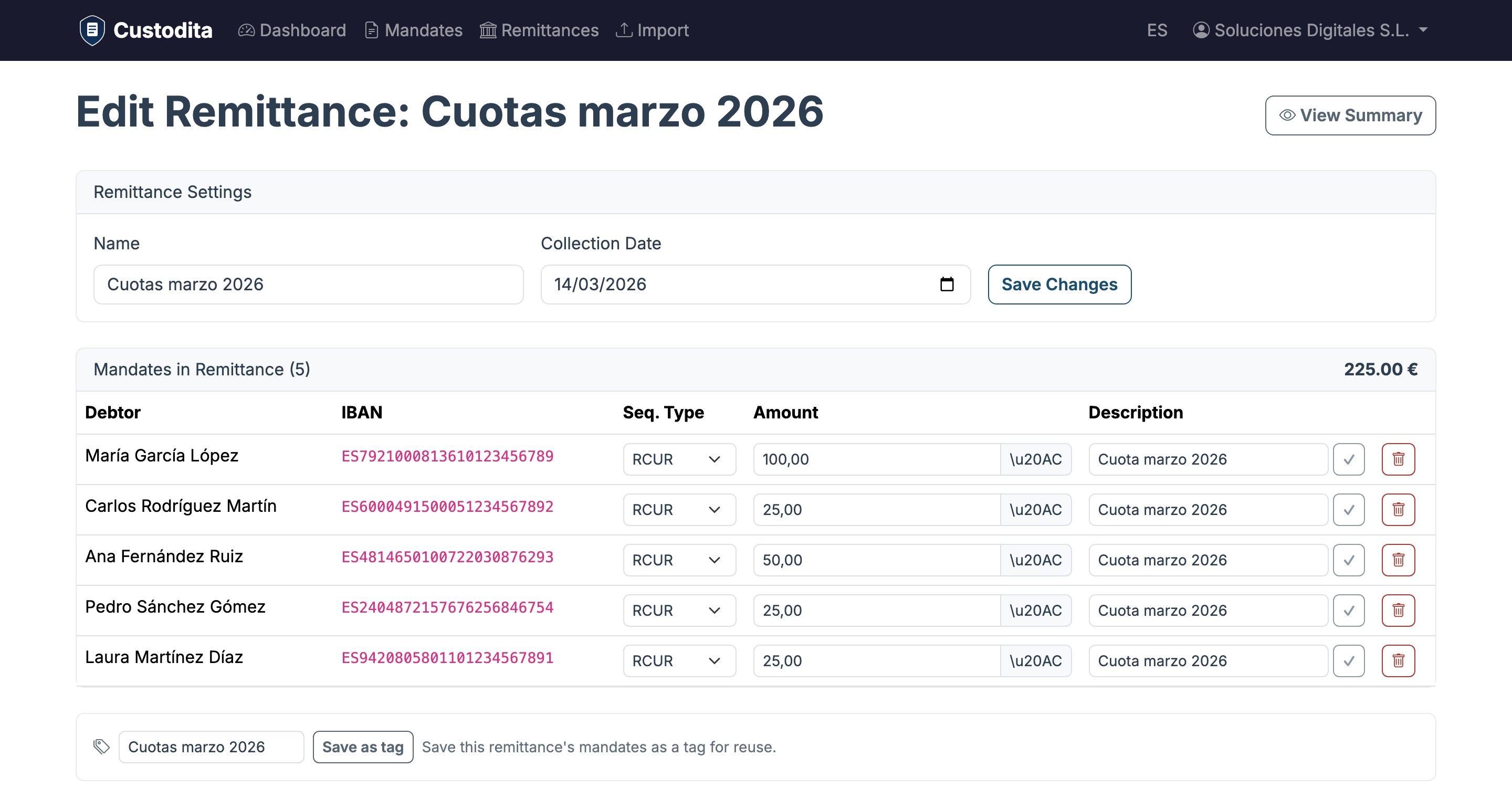
Add mandates to the remittance by filtering by tag or searching by name. Set the amount, description and sequence type for each debit. The total is recalculated automatically.
- Filter mandates by tag or search
- Individual amount and description per debit
- Automatic sequence type (FRST/RCUR/FNAL/OOFF)
Full validation before generating
Before generating the XML, Custodita validates that all data is correct: active mandates, valid IBANs, SEPA deadlines met and complete fields. If there are issues, they are displayed for you to fix.
- Checks all mandates are active and signed
- Verifies minimum SEPA deadlines (D-5, D-2, D-1)
- Validates description length (max 140 characters)
Upload bank response and reconcile
When the bank processes the remittance, upload the pain.002 response file. Custodita matches each transaction to its debit and updates the status: accepted, rejected or pending, with the reason code.
- Automatic pain.002.001.03 file parsing
- Per-debit status: accepted, rejected, pending
- Rejection reason codes (MD01, MD06, MS02...)
The collection cycle
Create the remittance
Choose a name, collection date and scheme (Core or B2B).
Add mandates and amounts
Select active mandates, set the amount for each debit and add a description.
Generate the XML
Custodita validates the data, checks SEPA deadlines and generates the pain.008 file.
Send to bank and reconcile
Download the XML, upload it to your bank. When the response arrives, upload it to update statuses.
Collect via direct debit without the hassle
Generate your first SEPA remittance in minutes.
Get started free